
Kami Work Notes
Kami Work Notes
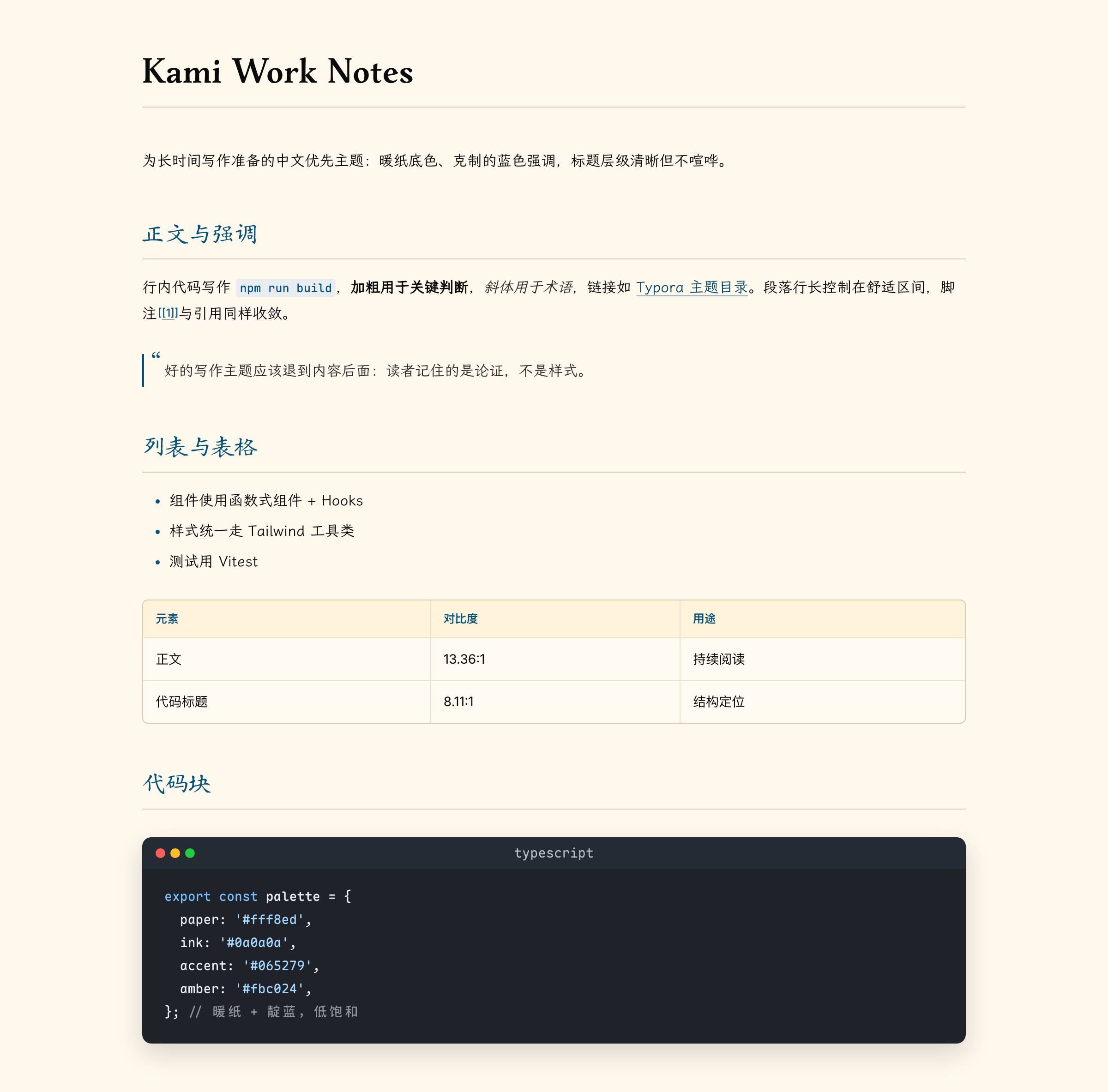
Kami Work Notes is a light Typora theme built for Chinese long-form writing: papers, lecture notes, and technical documents that people read for a long time. The aim is for readers to remember the argument, not the styling.
Highlights
- Warm ivory paper (
#fff8ed) — softer than pure white during long reading sessions and in PDF export. - Heading hierarchy by typeface, not by fading gray — H1 uses a serif face (STDongGuanTi when available), H2 and below use a kai-style face, so levels stay distinct without losing contrast.
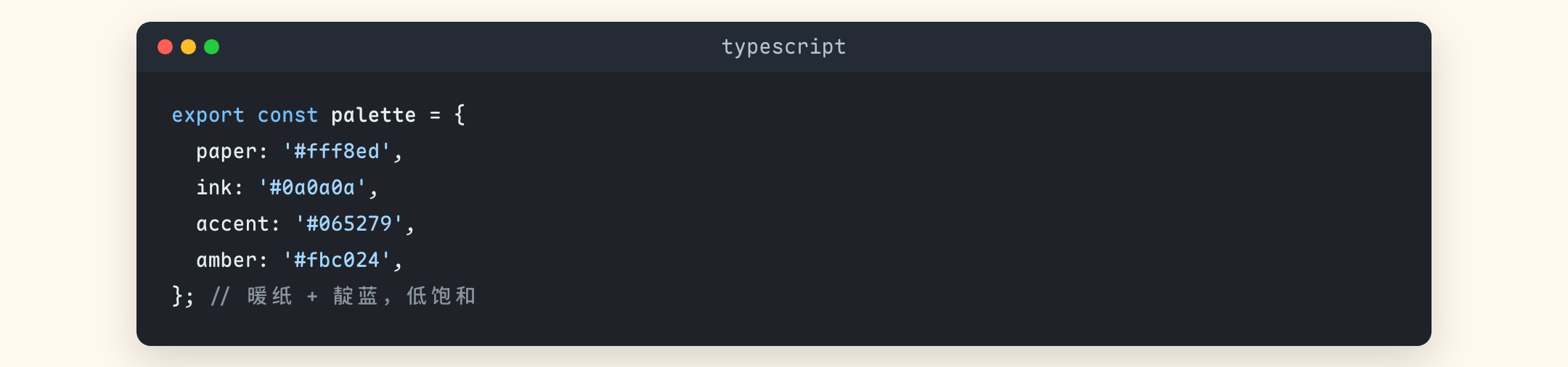
- Low-saturation dark code window — code fences render as a macOS-style window with traffic lights and a language label; token colors are pulled toward muted blue, cyan, and lilac.
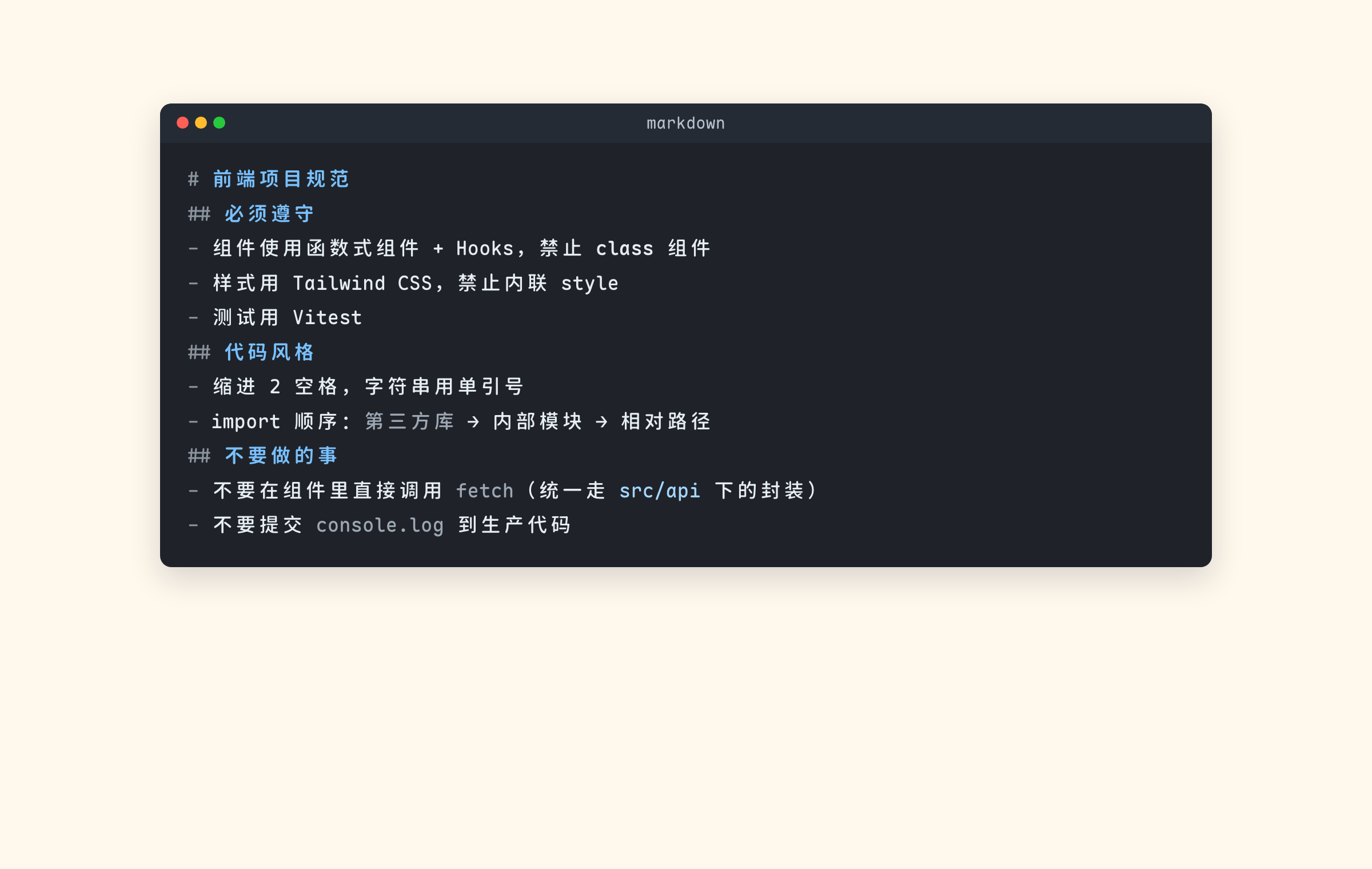
- Readable markdown fences — headings, links, and structural markers inside ` ```markdown ` fences get their own palette instead of inheriting the light theme’s navy headings.
- CJK-first typography — LXGW WenKai for body text, Maple Mono NF CN for code, Inter for Latin text and figures.
- Consistent tables, quotes, and footnotes — hairline borders, warm table headers, and
[1]-style footnote numbering. - No bundled assets — the theme is a single CSS file with no external image or font URLs; missing fonts degrade gracefully to system fallbacks.
Palette
The whole theme reads from a small set of root variables, so the accent color can be changed in one place.
| Variable | Value | Role |
|---|---|---|
--kami-paper |
#fff8ed |
document background |
--kami-paper-raised |
#fffaf2 |
tables, cards, sidebar |
--kami-paper-tint |
#fff3dc |
table headers, emphasis surface |
--kami-ink |
#0a0a0a |
body text |
--kami-blue |
#065279 |
indigo accent |
--kami-amber |
#fbc024 |
highlight |
--kami-dark-panel |
#1e2029 |
code window background |
Screenshots
Code window and syntax highlighting
Markdown fences
Headings and markers inside a markdown fence use a dedicated palette: title blue on the dark window reaches an 8.11:1 contrast ratio, and the structural markers (#, -, >) are deliberately muted.
Fonts
Fonts are matched by local() name and are not bundled. Install LXGW WenKai and Maple Mono for the intended look; without them the theme falls back to PingFang SC, Songti SC, SF Mono, and Menlo.
Installation
- Download Kami Work Notes and extract it.
- In Typora, open Settings → Appearance → Open Theme Folder.
- Copy
kami-work-notes.cssinto the theme folder. - Restart Typora and select Kami Work Notes from the Themes menu.
The repository also contains a backup/ folder holding the author’s personal Typora configuration backup. It is unrelated to the theme and is not needed for installation.
License
MIT.